Atlas is a serious, well-designed home for questionnaires, participant matching, and supervisor-reviewed
quality, without the clutter of tools built for something else.
The second orbit of Velinisse Studios. Live now, free to join.
Atlas gives researchers a serious home for questionnaires, scale libraries, and participant matching,
reviewed for quality at every step, instead of the ad-hoc spreadsheets and disconnected forms most studies
get stuck with.
◈
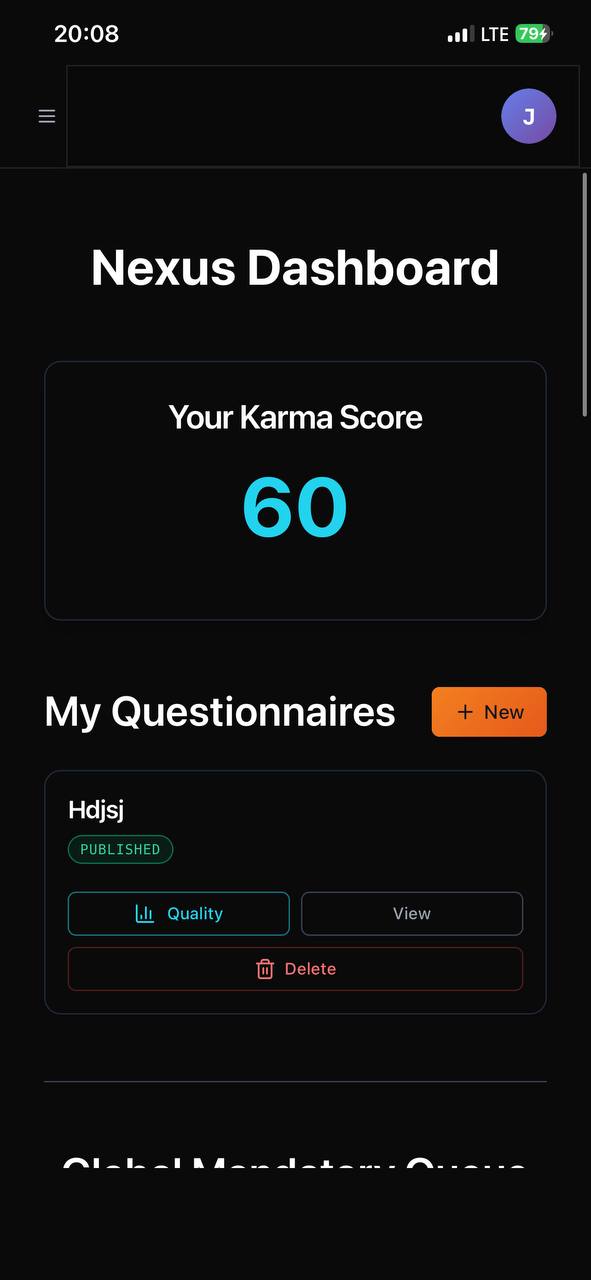
Nexus Dashboard
One home for every questionnaire you run: drafts, published studies, and a Karma
Score that reflects the quality of your participation across the platform.
◎
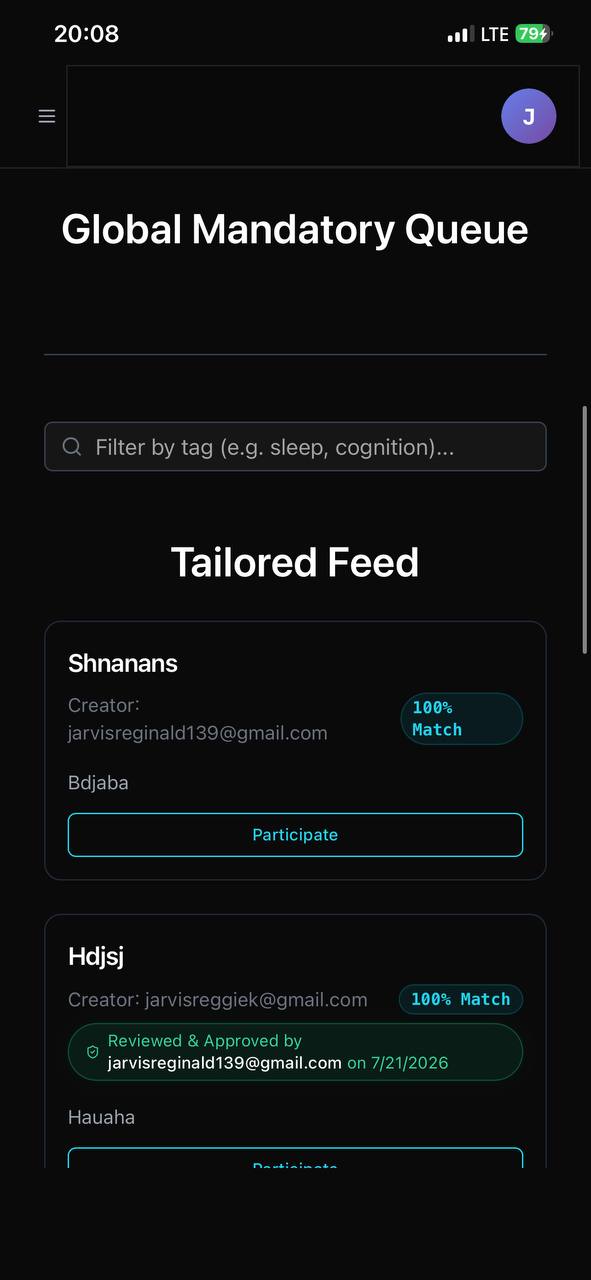
Tailored Matching
The Global Queue surfaces studies with a live match percentage, so participants
land on questionnaires that actually fit their tagged interests, not a random list.
✓
Reviewed & Approved
Supervisors and peers can review a questionnaire before it goes live, and that
approval, with a name and date, travels with it in the feed. Quality is visible, not assumed.
▤
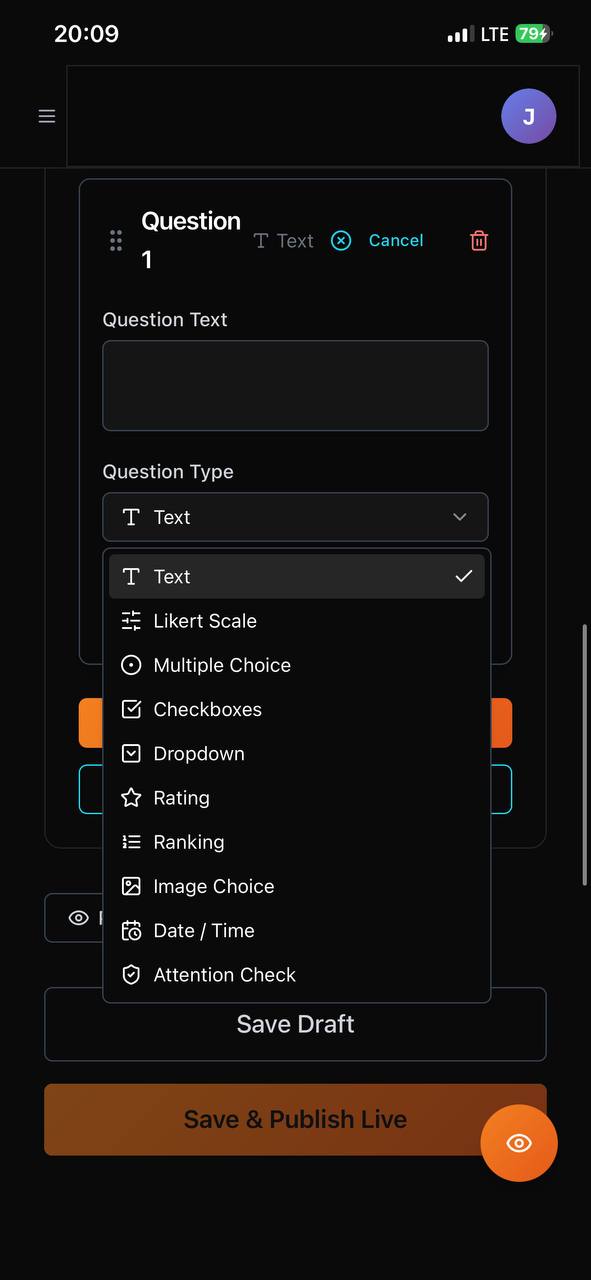
A Real Question Builder
Likert scales, multiple choice, rankings, image choice, attention checks, and
more. Build an instrument with the same rigor you'd expect from dedicated survey software.
◇
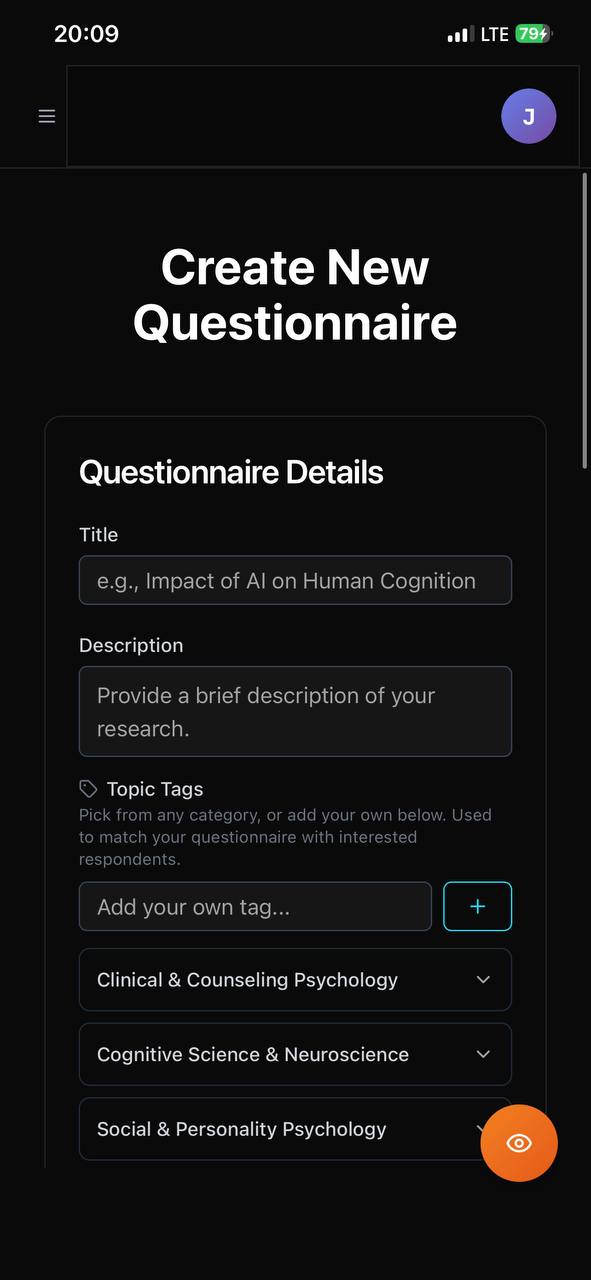
Topic Tags
Categorize by faculty and subfield, from Clinical & Counseling to Cognitive
Science, so the right participants and collaborators find your work.
🏆
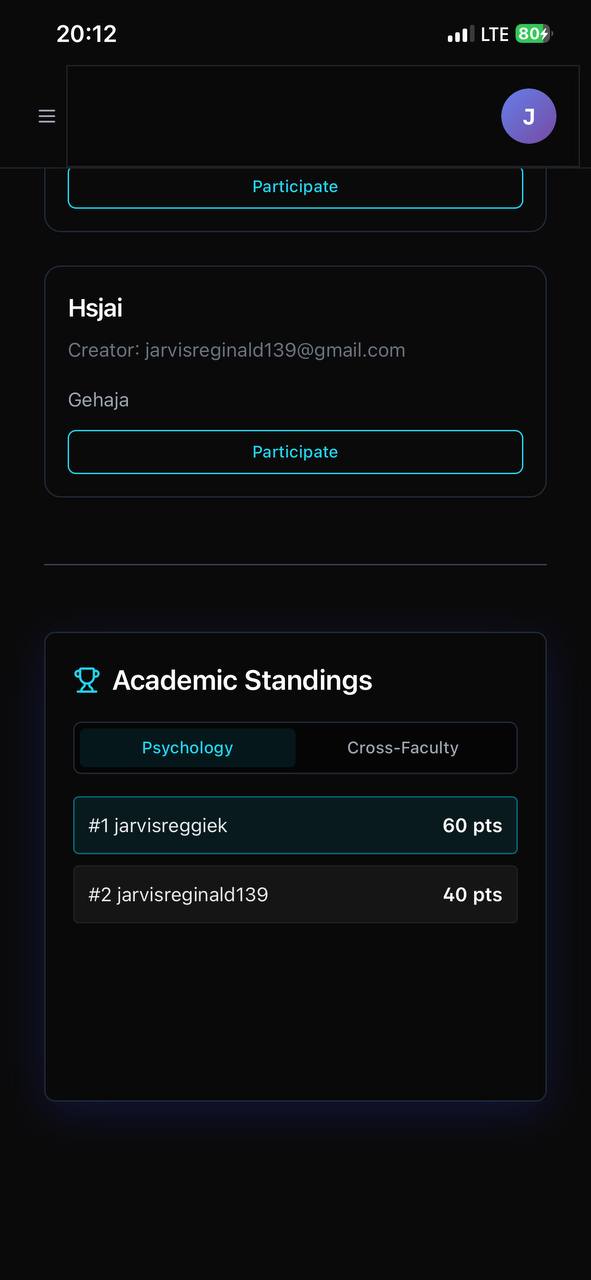
Academic Standings
Faculty leaderboards and cross-faculty rankings turn quality participation into
recognition, not just a number nobody sees.
Inside Atlas
Actual product screens
App icon
Dashboard
Feed
Builder
Create
Standings
The operating matrix
How Atlas works under the surface.
Atlas is a Progressive Web App built for the realities of academic work: shared devices, spotty campus wifi,
and supervisors who need to review before anything goes live.
🧑🎓
Layer 01 · Identity
Researcher Accounts
Every questionnaire is scoped to the researcher who created it. Drafts stay
private until published; published studies carry your name and, where relevant, your reviewer's.
🏷️
Layer 02 · Categorization
Topic Tags & Faculty
Studies are tagged by faculty and subfield at creation, powering the matching
that surfaces relevant work to the right participants in the Global Queue.
🔎
Layer 03 · Quality
Review & Approval
A supervisor or peer can review a questionnaire before it's live. Once
approved, that reviewer and date are attached and visible to every participant in the feed.
🎯
Layer 04 · Matching
Tailored Feed
Participants see a live match percentage per study, calculated from their own
tagged interests, so attention goes to the studies most likely to be relevant to them.
📊
Layer 05 · Recognition
Karma & Standings
Quality participation earns Karma points that feed into faculty and
cross-faculty leaderboards, turning good research citizenship into something visible.
🌐
Layer 06 · Delivery
PWA on Cloudflare
Atlas is deployed on Cloudflare's global edge network. As a Progressive Web
App, it installs to your home screen and works well even on slower campus connections.
01
Sign up
→
02
Build questionnaire
→
03
Tag & submit
→
04
Get reviewed
→
05
Go live in the Queue
→
06
Collect responses
Get the app
Install Atlas on your device.
Atlas is a PWA: it installs directly to your home screen and works like a native app, without an app store.
Pick your device below, and have your queue with you between classes.
Detected: checking your device…
1
🌐
Open in Safari
Go to velinisse-atlas.velinisse.workers.dev in Safari.
Atlas won't install from Chrome or Firefox on iOS; Safari is required.
⚠ Must be Safari, not Chrome
2
⬆️
Tap the Share button
Tap the Share icon at the bottom of the screen. It looks like a box with an
arrow pointing upward.
↑ Bottom center of your Safari screen
3
➕
Add to Home Screen
Scroll down in the share sheet and tap "Add to Home
Screen." You may need to scroll to find it.
Scroll down in the menu if you don't see it
4
✅
Tap Add
Confirm by tapping "Add" in the top right. Atlas appears
on your home screen like any other app, ready between lectures.
Enable notifications so you don't miss a review
1
🌐
Open in Chrome
Go to velinisse-atlas.velinisse.workers.dev in Chrome.
Chrome gives you the best PWA install experience on Android.
Chrome recommended for best results
2
⋮
Open the menu
Tap the three-dot menu (⋮) in the top right corner of
Chrome.
Top-right corner of your browser
3
📲
Install or Add
Tap "Install app" or "Add to Home
screen." Newer versions of Chrome may show an install banner automatically.
May also appear as a banner at the bottom
4
✅
Confirm Install
Tap "Install" or "Add." Atlas installs to
your home screen and works offline for cached content, useful when the lab wifi drops.
Allow notifications for review updates
1
🖥
Open in Chrome or Edge
Visit velinisse-atlas.velinisse.workers.dev in Google
Chrome or Microsoft Edge. Both support PWA install on desktop.
Chrome or Edge only. Firefox doesn't support desktop PWA install
2
⬇️
Look for the install icon
Look for a small install icon in the address bar. It looks like a screen
with a download arrow. Click it.
Right side of your address bar
3
📌
Install the app
Click "Install" in the dialog that appears. Atlas opens as
a standalone window, ideal for building longer questionnaires at a desk.
It'll appear in your taskbar or dock
4
✅
Use it like a native app
Atlas runs in its own window with no browser chrome. Pin it to your taskbar
or dock for quick access before your next lab session.
Note: push notifications work best on mobile
Push notifications require the PWA to be installed. They won't work from a regular browser tab:
install to your home screen first, then allow notifications when prompted. This is a browser limitation, not
an Atlas one.
 App icon